> For the complete documentation index, see [llms.txt](https://help.directcloud.net/llms.txt). Markdown versions of documentation pages are available by appending `.md` to page URLs; this page is available as [Markdown](https://help.directcloud.net/test/user_manual/folder_management/url_copy.md).
# 특정 폴더의 경로와 URL을 복사하는 방법
### 개요
이 매뉴얼에서는, 폴더를 선택하여 폴더의 위치와 URL을 클립보드에 복사하는 방법을 설명합니다.
***
### 제한·보충사항
* 폴더가 1계층 더 깊어질 때마다 URL에는 슬래시(/)와 4자리의 대소문자 영문이 추가됩니다.
* Shared Box의 폴더 경로 예:\
* Shared Box 1단계 폴더 경로 예:\
* 관리자 API 및 사용자 API를 사용하는 경우에는 폴더 노드에 설정된 값을 조회해야 합니다.\
루트 폴더에는 "1{2"라는 값이 할당되어 있으며, 하위 단계에 폴더가 생성될 때마다 노드 값이 3글자씩 추가됩니다. 예시는 다음과 같습니다.
* 1단계: 1{2Sh8\
2단계: 1{2Sh89ZT\
3단계: 1{2Sh89ZT9jK
***
### 절차
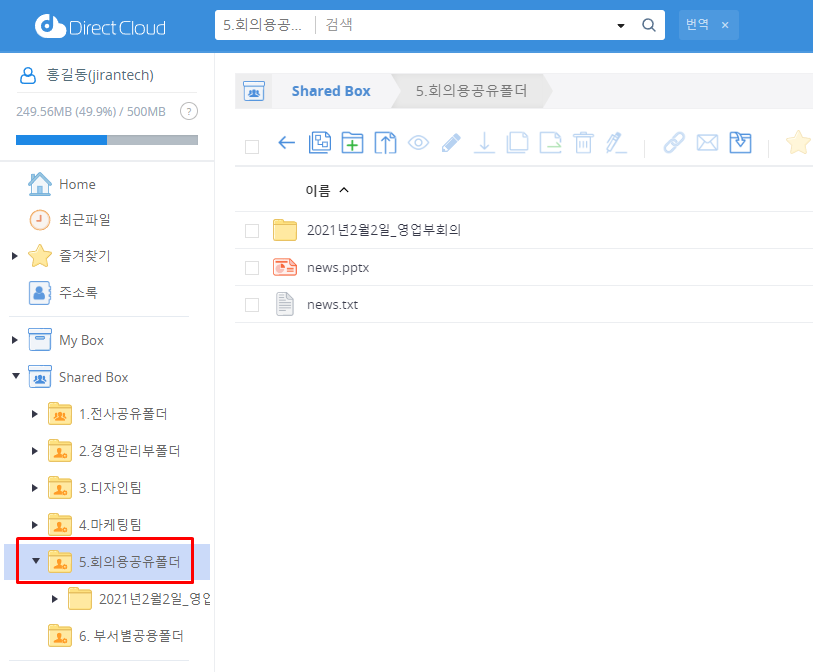
1. 폴더 위치와 URL을 가져오려는 폴더를 클릭합니다.
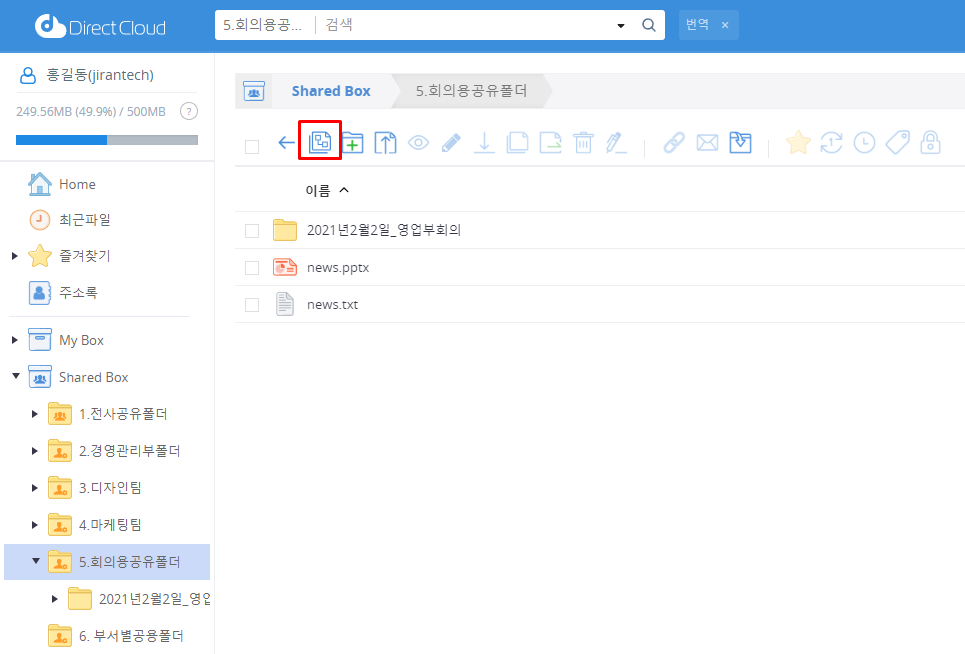
2. 상단의 폴더 위치 복사 아이콘을 클릭합니다.
폴더 위치와 URL이 클립보드에 복사됩니다.
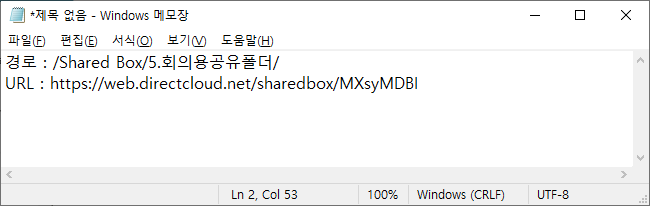
3. 복사한 폴더의 위치와 URL을 확인하려면, 메모 등에서 파일을 열어 클립보드의 내용을 붙여넣습니다.