> For the complete documentation index, see [llms.txt](https://help.directcloud.net/llms.txt). Markdown versions of documentation pages are available by appending `.md` to page URLs; this page is available as [Markdown](https://help.directcloud.net/test/admin_manual-1/undefined-2/undefined/change_group_name.md).
# 그룹 이름을 변경하는 방법
### 개요
이 매뉴얼에서는 사용자 관리 메뉴에서 사용자가 속한 그룹의 이름을 바꾸는 방법에 대해 설명합니다.
***
### 제한·보충사항
* 관리자 권한이 부여된 사용자는 관리자 페이지에서 '계정 관리' 항목에 접근할 수 있습니다.
* 최상위 단계에 있는 ‘회사명’을 수정하려는 경우에는 [계약 정보를 확인하는 방법](https://help.directcloud.net/admin_manual/home_menu/check_contract)의 절차에 따라 ‘회사 정보’ 메뉴로 이동한 후, ‘회사명’을 편집해 주세요.
* 그룹은 두 자리로 구성된 그룹 코드로 관리됩니다. 그룹을 생성할 때는 ‘상위 그룹의 2자리 그룹 코드 + 새로 부여되는 본인의 2자리 그룹 코드’가 함께 등록됩니다.
예를 들어, ‘회사명’ 그룹의 그룹 코드가 ‘AA’인 경우 ‘회사명’ 바로 아래에 첫 번째 그룹을 생성하면 ‘AAAA’가 등록되고, 두 번째 그룹을 생성하면 ‘AAAB’가 등록됩니다.
***
### 절차
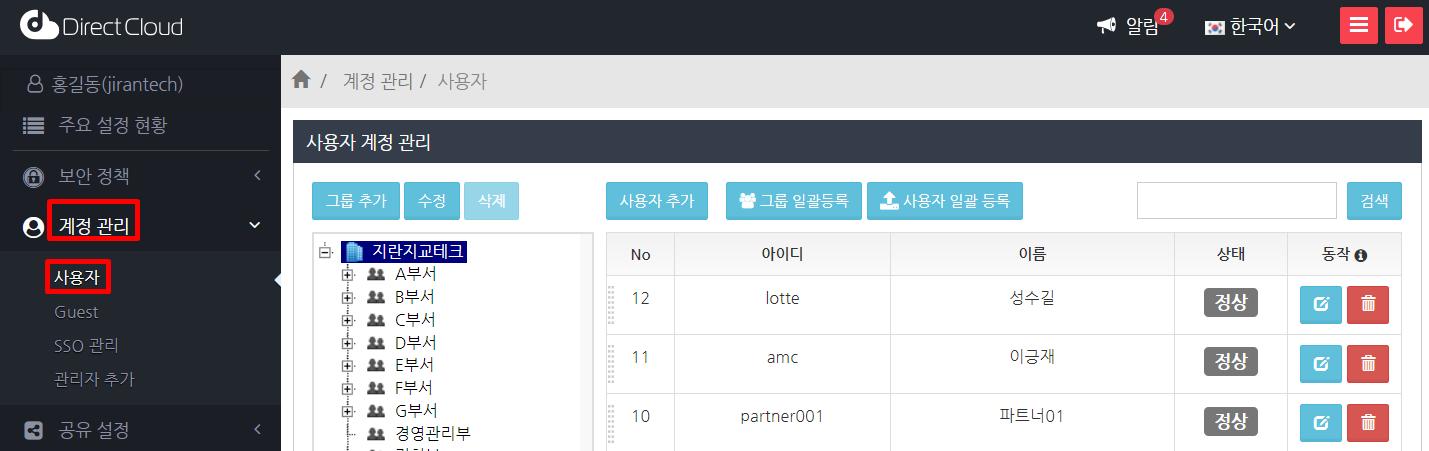
1. '계정 관리' > '사용자' 메뉴를 선택합니다.
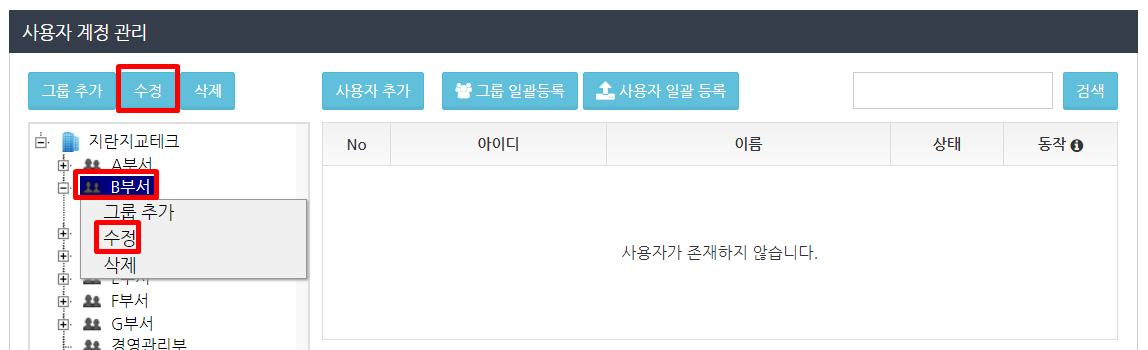
2. 변경하려는 그룹을 마우스 오른쪽 버튼으로 클릭하고 표시된 메뉴에서 수정을 클릭합니다. 또는 변경할 그룹을 선택하고 상단의 수정 버튼을 클릭합니다.
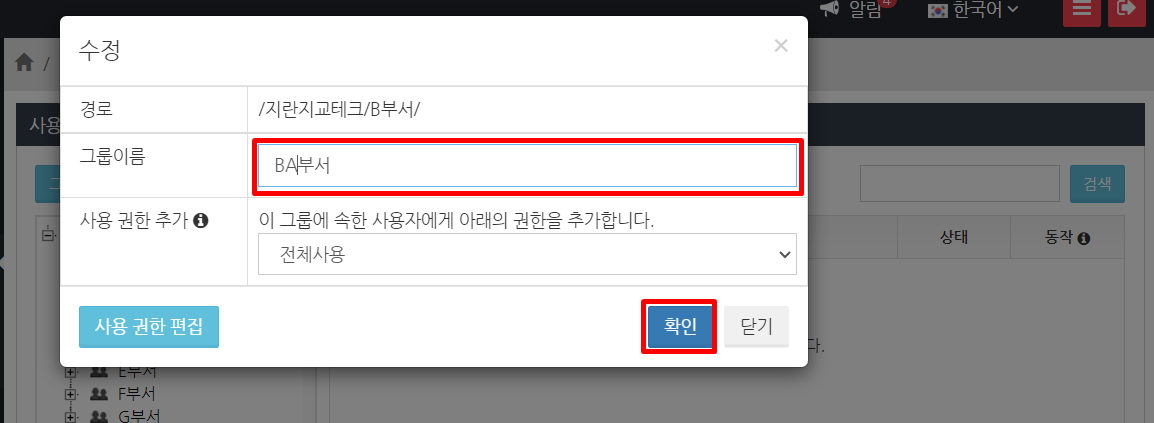
3. 그룹 이름을 변경하고 확인 버튼을 클릭합니다.